
Outpost: Infra-Station is an Exploration Mission in Arknights Endfield. This walkthrough will guide you through all objectives of the Outpost: Infra-Station Exploration Mission.
This is a multi-part quest.
- Starting Location: Valley IV > Originium Science Park
- Quest Giver: Automatically unlocked after completing Main Mission 17 – Mystery in the Building
- Requirement: Complete Main Mission 17 – Mystery in the Building
- Reward: 75 Oroberyl and 300 EXP
- Quest Description: Incoming communication from the Collinses confirms their Infra-Station, currently serving as an emergency shelter, requires immediate assistance.
Objectives:
- Go to the Infra-Station
- Talk to Noffman
- Go to the location where the workers went missing
- Scan the place to look for clues
- Keep scanning the place to look for clues
- Check the Intel comments in the Archive
- Go to the Infra-Station and talk to Noffman
- Follow Noffman
- Deploy the Sub-PAC at the specified position
Starting Location: Outpost: Infra-Station
After finishing Main Mission 17 – Mystery in the Building, this mission will unlock.
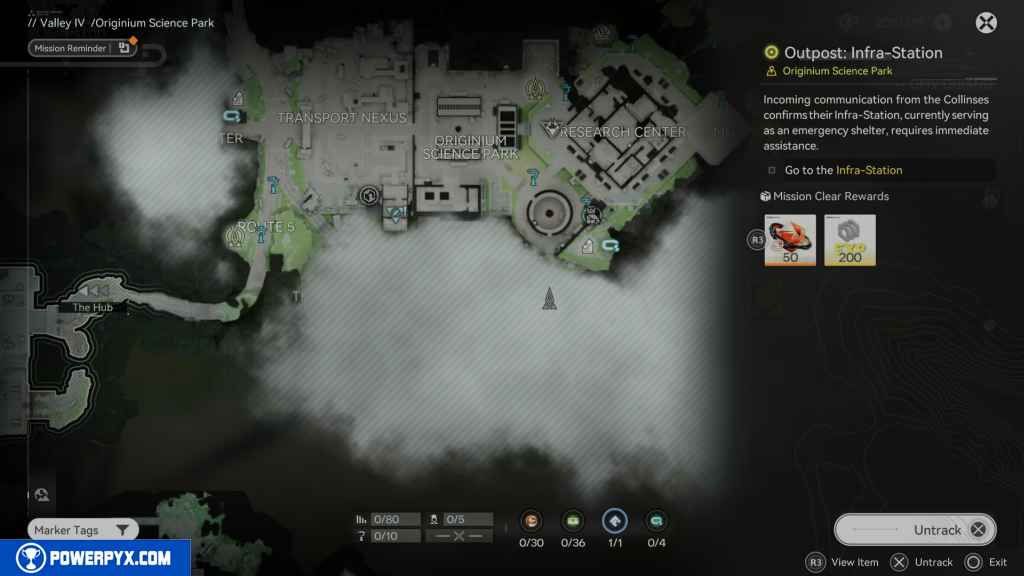
Go to the Infra-Station
Head south from the TP Station until you see a camp with a Panda standing in line. Speak to the Panda until he tells you where Noffman is.

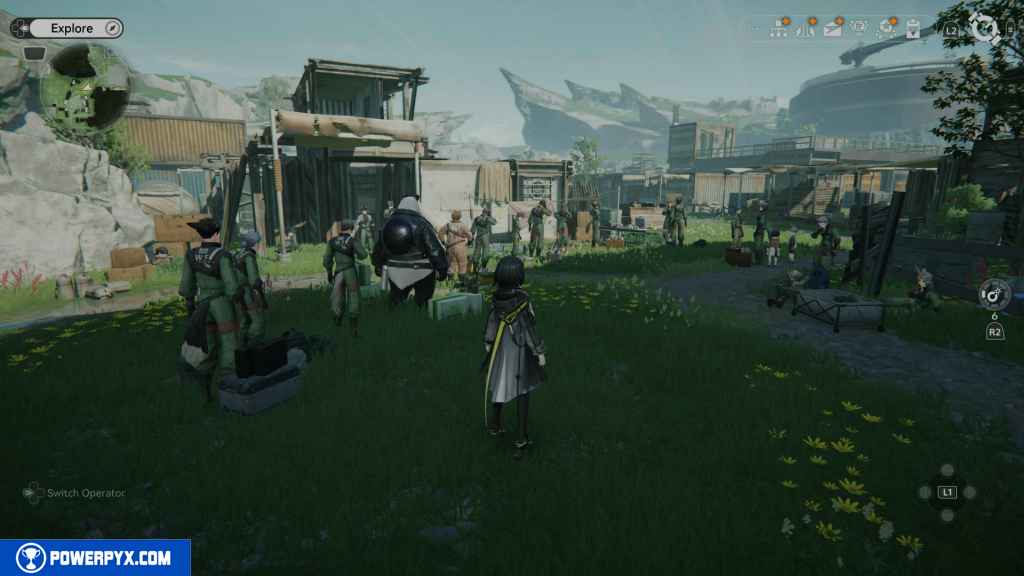
Talk to Noffman
Noffman is located in front of the Panda behind the table. Go and speak with him.
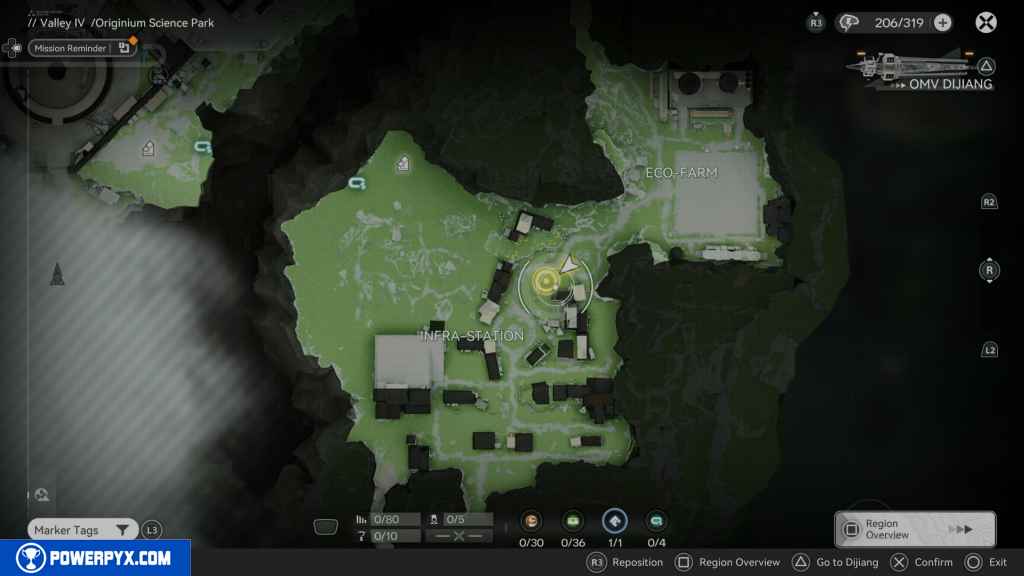

Go to the location where the workers went missing.
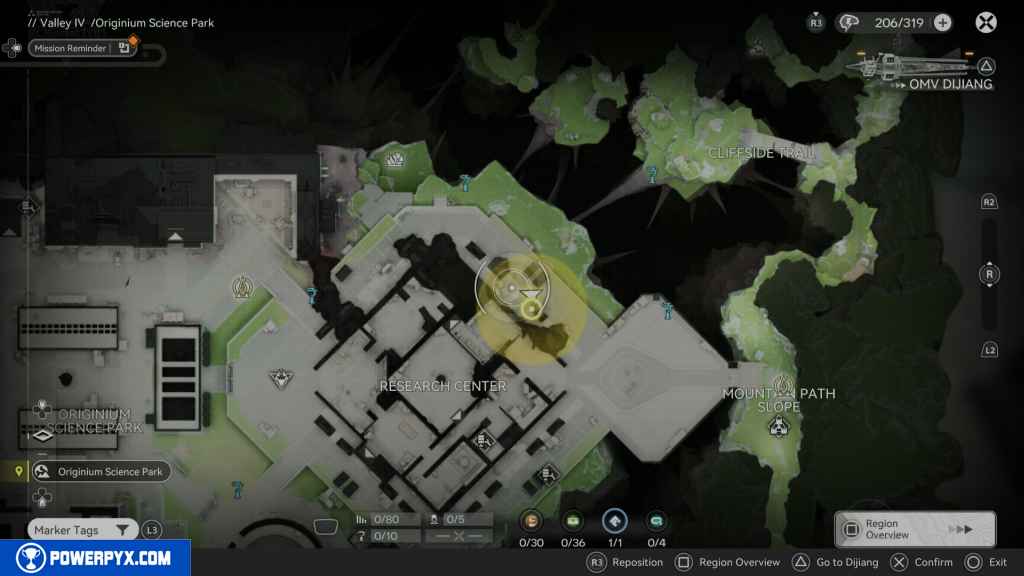
Head back to the TP teleporter, then northwest to the building. Go around the right side of it to reach the missing workers’ location.

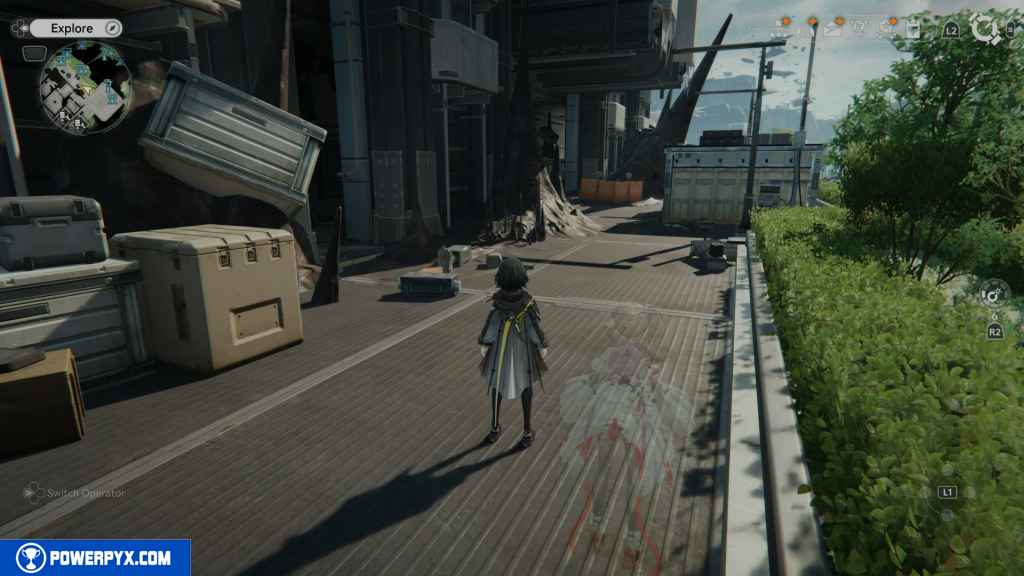
Scan the place to look for clues
Head slightly north from this location and use your scanner  on the PS5. You’ll reveal a box. Examine it.
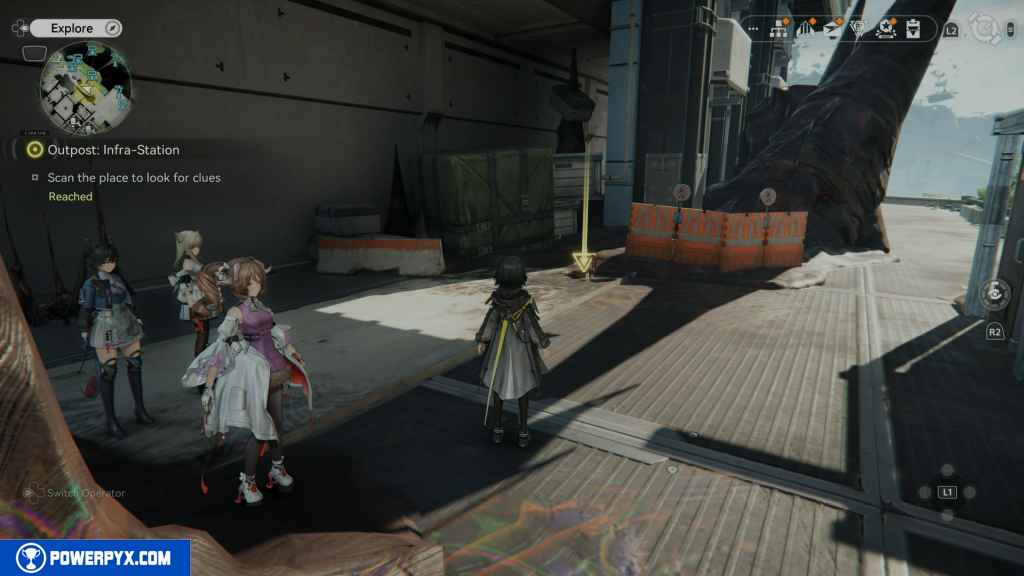
Keep scanning the area for clues
Continue north until you see some stairs leading to a ledge. Use your scanner again to locate the torn rope, then examine it.


Drop down from the rope to the area with minerals. In the eastern section of the small area, use your scanner again to find a file. Pick it up and read it.


Check the Intel comments in the Archive
Open up your menu and go to the Archives. From the archives, select the Investigation tab. Next, select the file that is about the Infra-Station. In the next screen, push the touchpad on the PS5 controller to read the comments about the investigation piece.


Go to the Infra-Station and talk to Noffman
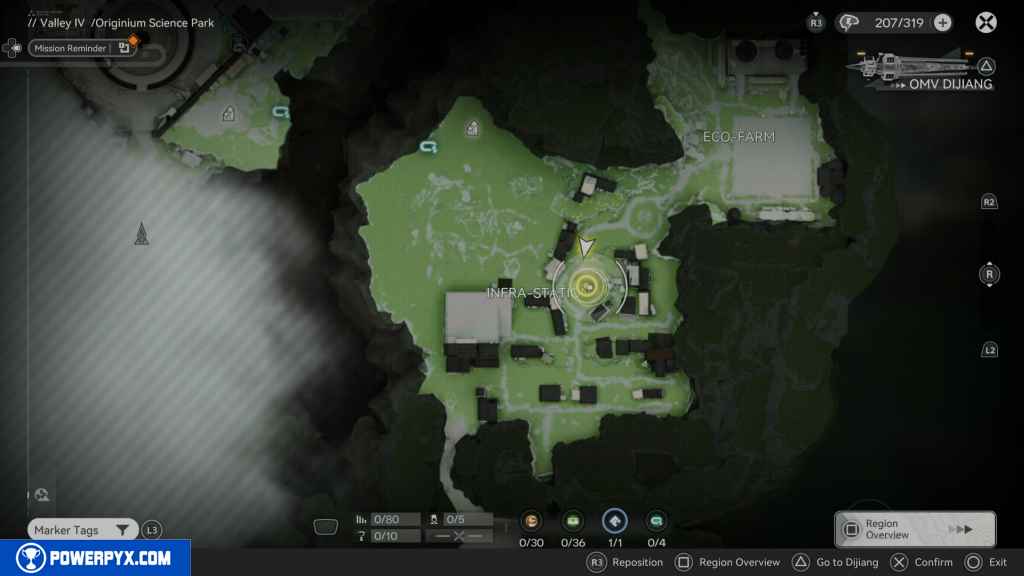
Head back to the camp and find Noffman standing next to the large Panda. Go up and speak to him.

Follow Noffman
Noffman heads to the large open area of the camp. Follow him there.

Deploy the Sub-PAC at the specified position
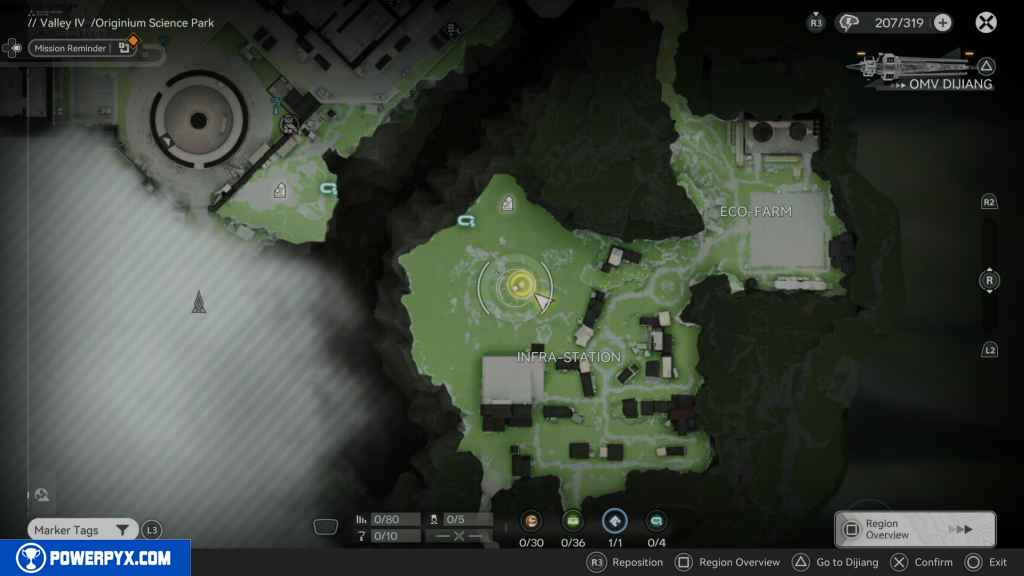
When you’re done talking to him, go to the marker and place down the Sub-PAC to unlock this camp for processing.

You receive 75 Oroberyl and 300 EXP.
This finishes the Outpost: Infra-Station side quest in Arknights Endfield.
OD Project: Infra-Station 1
- Starting Location: Valley IV > Originium Science Park
- Quest Giver: Automatically unlocked after completing Exploration Mission – Outpost: Infra-Station
- Requirement: Complete Exploration Mission – Outpost: Infra-Station
- Reward: 50 Oroberyl and 200 EXP
- Quest Description: Give Supplies to the Infra-Station
Objectives:
- Raise the Outpost Porsparity to the current limit (7500)
- Read the message sent from the Temporary Infra-Station Comms
- Go to the marked location and see where Noffman went
- Defeat the Landbreakers
- Keep looking for Noffman
- Talk to Noffman
- Create a zipline route near the injured and power it up
- Ride the zipline and receive the injured
Starting Location: Outpost: Infra-Station I
Raise the Outpost Porsparity to the current limit (7500)
Once you’ve accumulated 7,500 Prosperity by trading goods for Stock Bills, you can upgrade the Infra-Station from the Regional Development tab in your menu. The next part of the mission begins.

Read the message sent from the Temporary Infra-Station Comms
After upgrading, you’ll get a message from the Temporary Infra-Station Comms. Open your messages and read the message.

Go to the marked location and see where Noffman went
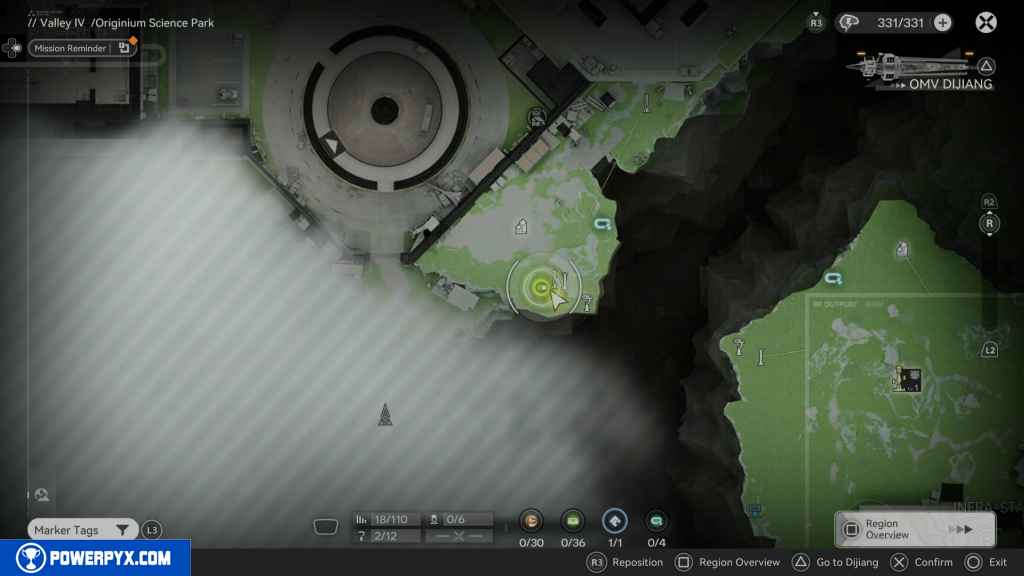
Head to the location marked on your map, northwest of the Infra-Station.

Defeat the Landbreakers
As you approach, you’ll be attacked by a few Landbreakers. Defeat them.

Keep looking for Noffman
Head to the open path on your left, near the path reading “west,” and you should find Noffman and some injured people. Approach them.

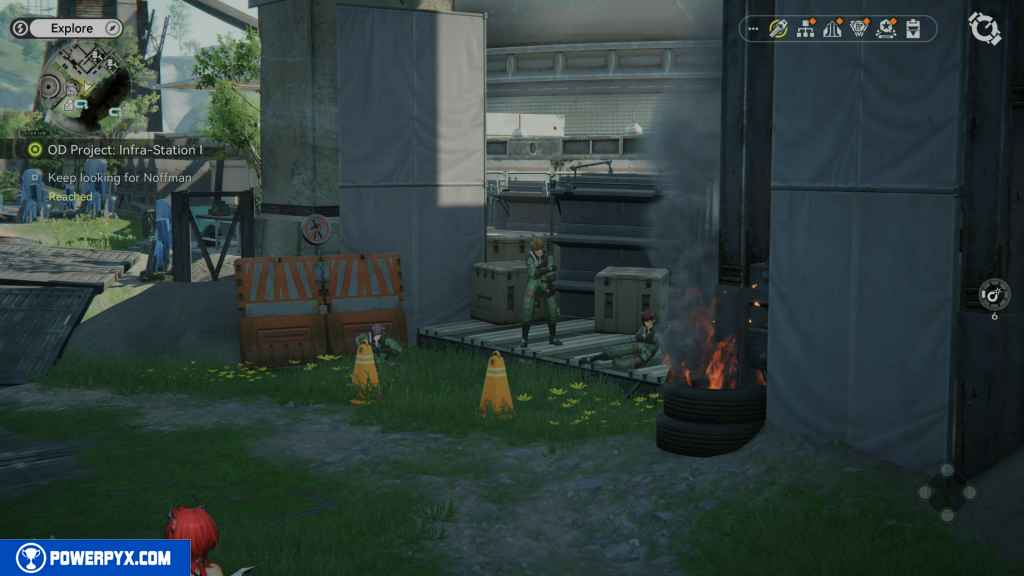
Talk to Noffman
Approach Noffman and speak to him.
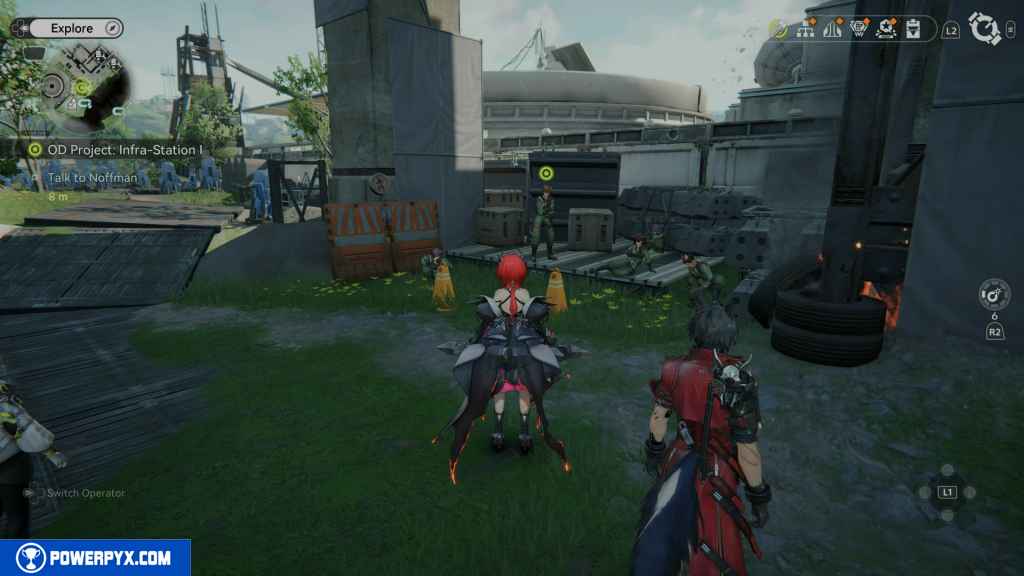
Create A Zipline Route Near The Injured And Power It Up
You need to research how to create Ziplines. Open the AIC Plan and find the Field Mobility 1 upgrade. You need to research Field Stash before you can research Field Mobility 1. You’ll need a Basic AIC Index, which you can obtain from the Protocol Dataloggers (big inflatable tube men).

Next, go to the location marked on your map and build a zipline there.

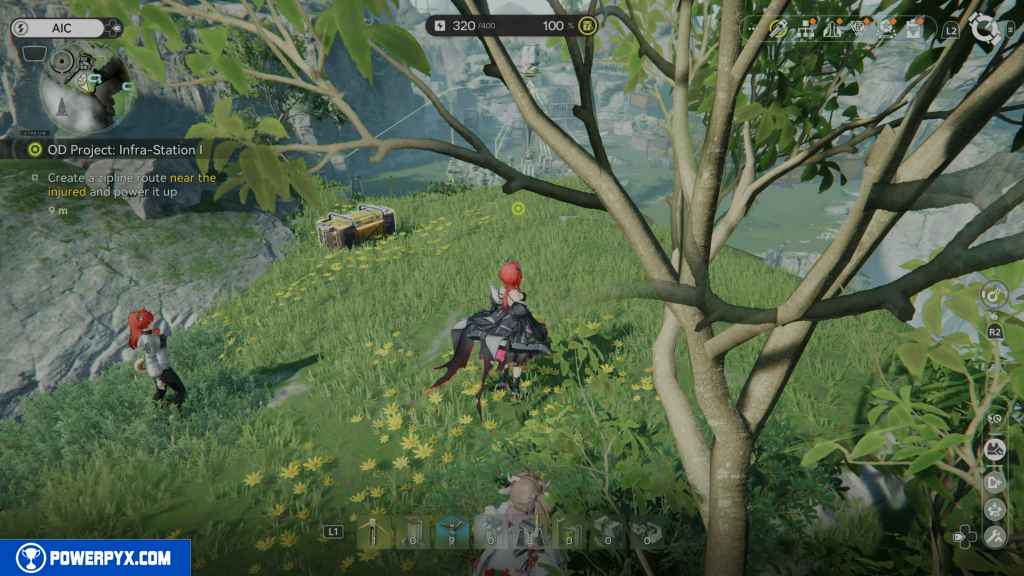
Teliport back to the Infra-Station. Build another zipline, head to the west corner, and build it in at the edge.
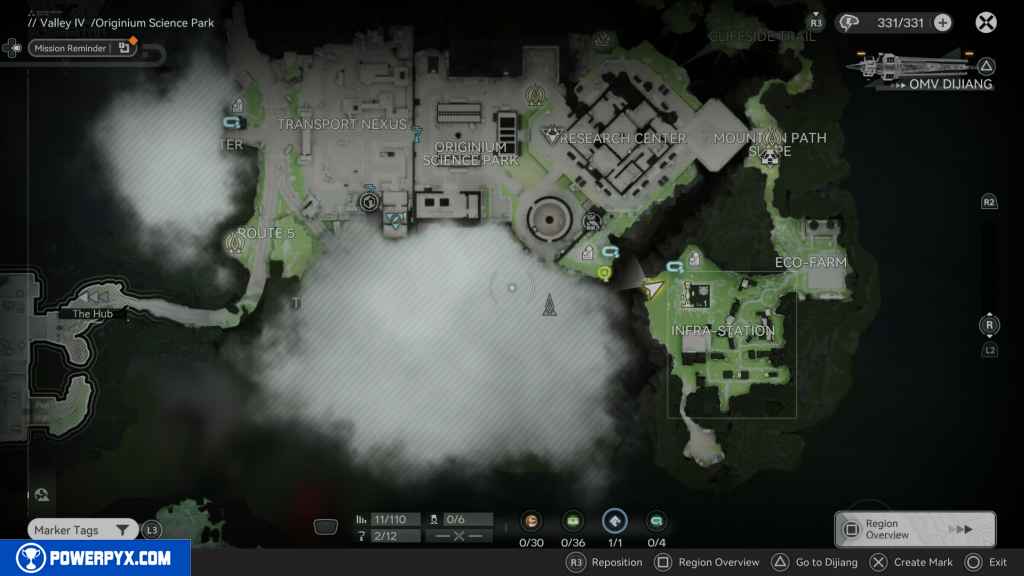
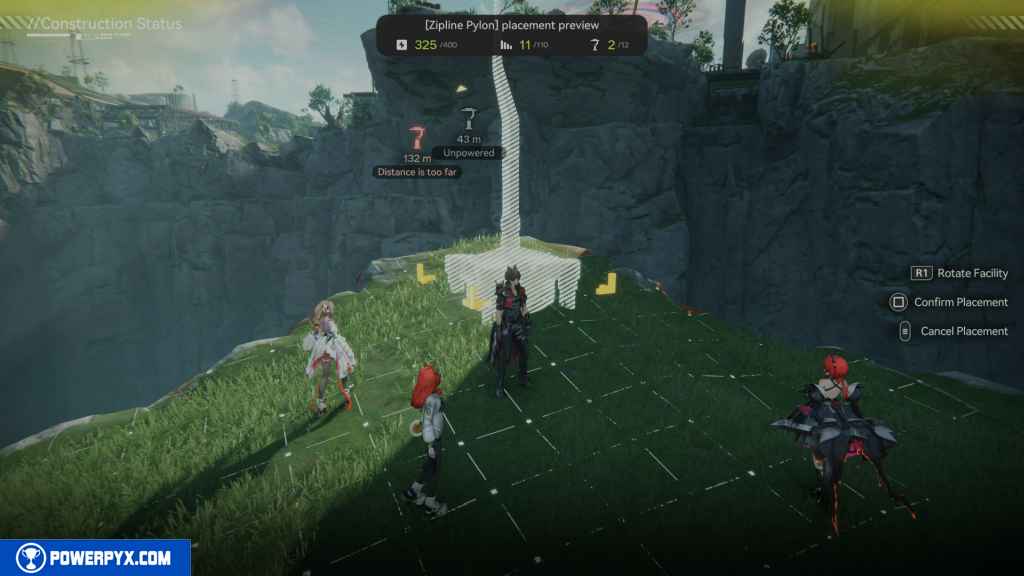
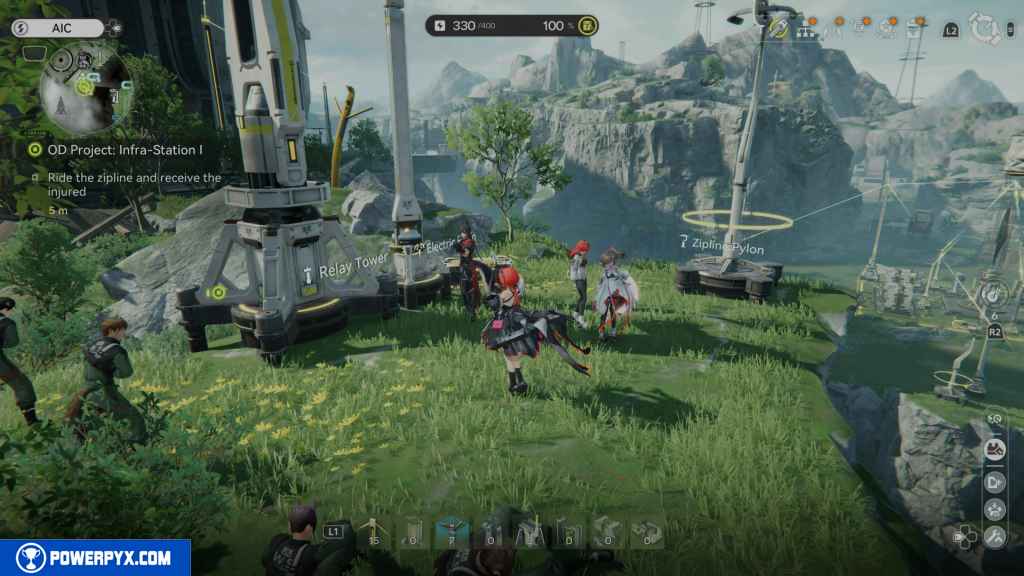
From here, you need to power up the ziplines. Build an Electric Pylon next to it and power it with a Relay Tower. From here, we have to build at least six Relay Towers leading from the Infra-Station to the zipline at the top, where Noffman is.


Build another next to the Bridge. From there, keep following the path you took to find Noffman.


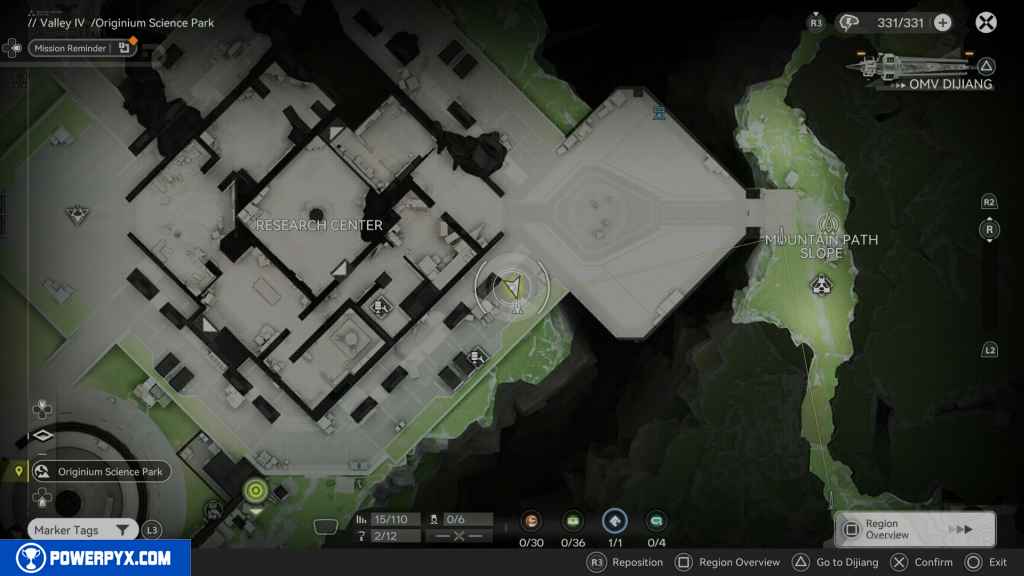
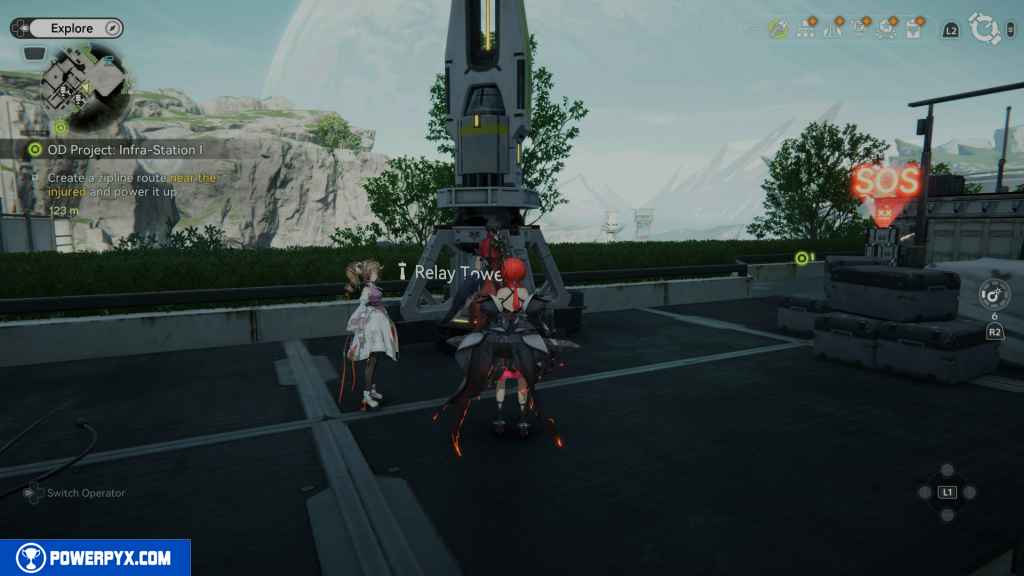
The final two should be placed where Noffman was found and where the zipline is located.
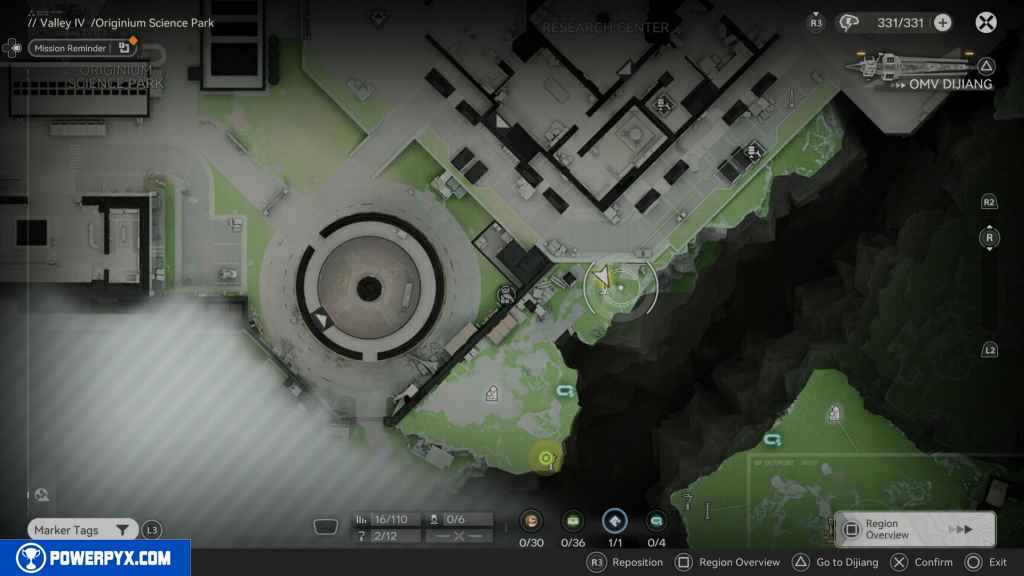

Ride the zipline and receive the injured
Place another Electric Pylon and power it up to activate the zipline. Noffman should appear right next to you with his team. Talk to him to finish the quest.

You receive 50 Oroberyl and 200 EXP
Outpost: Infra-Station II
- Starting Location: Valley IV > Originium Science Park
- Quest Giver: Automatically unlocked after completing Exploration Mission – Outpost: Infra-Station I
- Requirement: Complete Exploration Mission – Outpost: Infra-Station I and upgrade Infra-Station Outpost Prosperity to 378000
- Reward: 50 Oroberyl and 200 EXP
- Quest Description: Read the messages of the Temporary Infra-Station Comms group
Objectives:
- Read the message sent from the Temporary Infra-Station Comms
- Go to the Infra-Station
- Investigate the Infra-Station (0/3)
- Talk to Da Pan
- Go to the Control Center
- Tune the device to support Da Pan
- Talk to Noffman
- Return to the Infra-Station and talk to the crew
Starting Location: Outpost: Infra-Station II
You can begin working on this mission after completing Exploration Mission – OD Project: Infra-Station I. Exchange goods in Infra-Station until you spend 378000 to raise its Prosperity

Read the message sent from the Temporary Infra-Station Comms
Once you reach the maximum Prosperity, you’ll receive a message from the Temporary Infra-Station Comms. Go and read the message.

Go to the Infra-Station
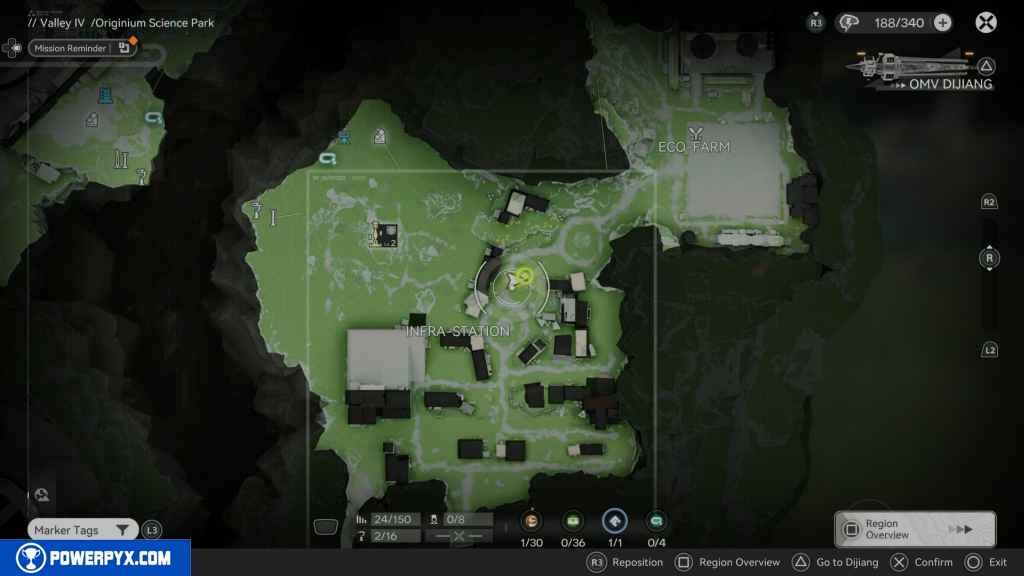
Head to Infra-Station.
Investigate the Infra-Station (0/3)
When you arrive, you need to investigate three points on the map. The first two are in a tent north east of the TP point. You’ll see two files on the desks.

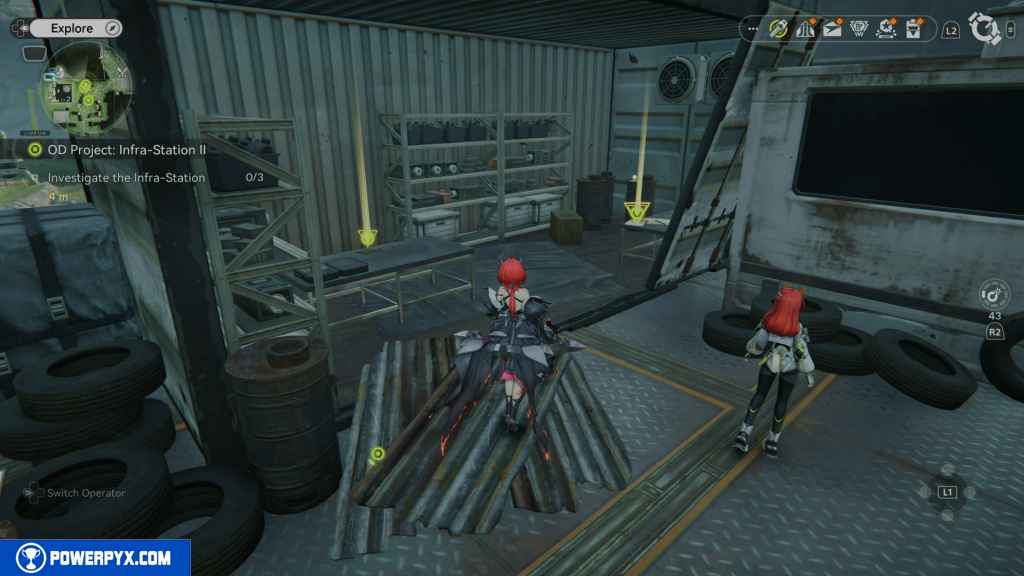


The last point to interact with is Noffman, who is standing southeast of the tent.

Talk to Da Pan
Left of where you spoke to Noffman, you’ll see Da Pan (Giant Panda) go and speak with him.


Go to the Control Center
The Control Center is a locked area in the Originium Science Park and can only be unlocked from this quest. Its the location west on your map. Teleport to the TP location at the entrance of the Originium Science Park , where you first entered the region, and make your way to the Control Center. Head north once inside, and you’ll find Noffman working on a control panel. Approach him to start a cutscene.


Tune the device to support Da Pan
On the platform behind Noffman and Da Pan are two large machines. Strike the one on the left until it fills up, and then strike the one on the right to fill it up as well.

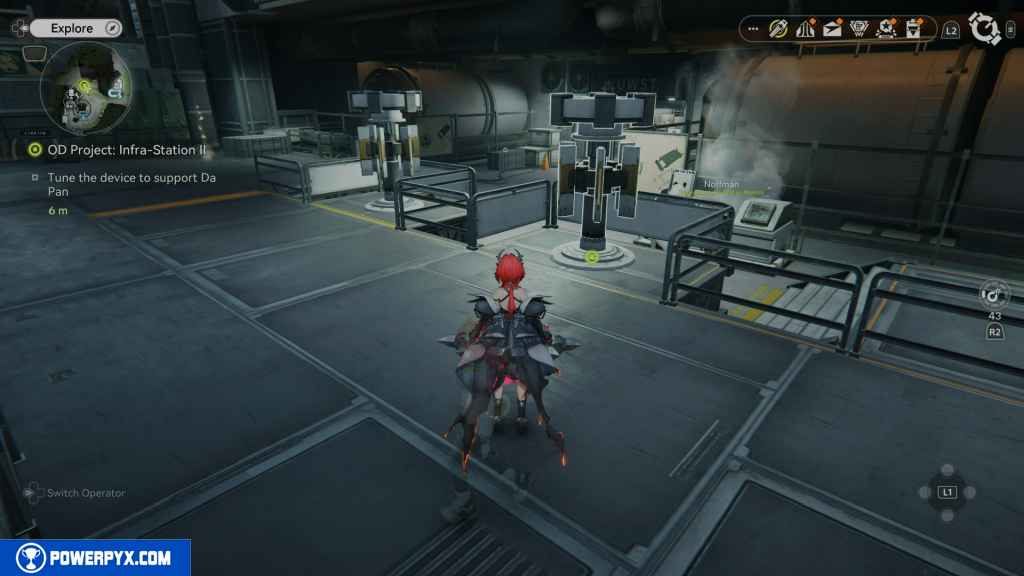

Talk to Noffman
Speak with Noffman again at the control panel.

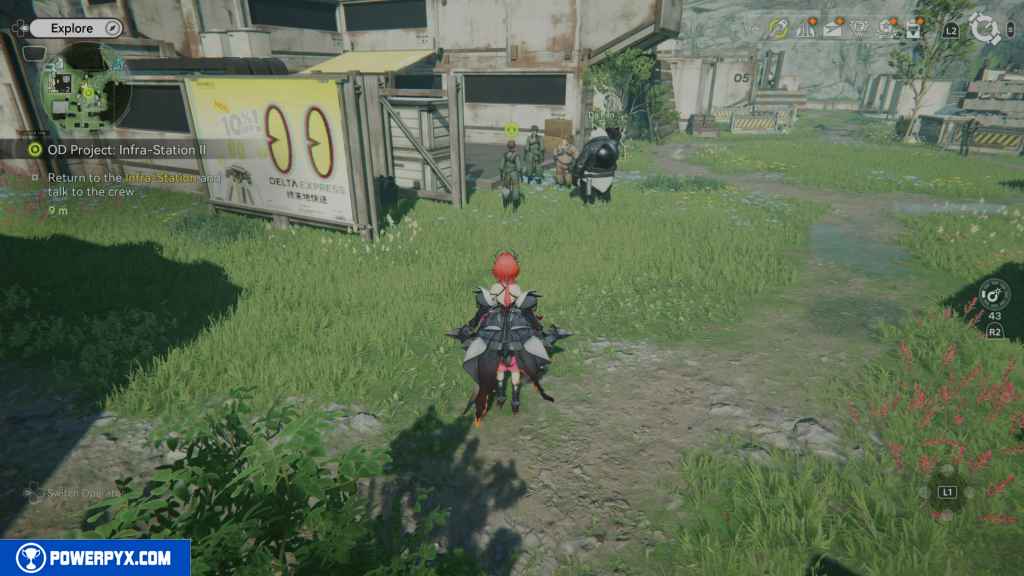
Return to the Infra-Station and talk to the crew
Head back to the Infra-Station base and speak with the group where you first spoke with Noffman in this mission.
You receive 50 Oroberyl and 200 EXP
Outpost: Infra-Station III
(Coming Soon)
For all other Quests, refer to the Arknights Endfield Walkthrough.
Leave a Reply