
In Starfield you can build Cargo Links to connect multiple Outposts. This allows them to automatically trade Resources for a more efficient production chain. Connecting 5 Outposts via Cargo Links unlocks the Shipping Magnate Achievement.
How to Connect Outposts with Cargo Links
- Build at least 2 Outposts. See How to Build Outposts.
- Fast travel to each Outpost, open the building Menu (use Scanner: on Xbox press LB > X / on PC press F > R.
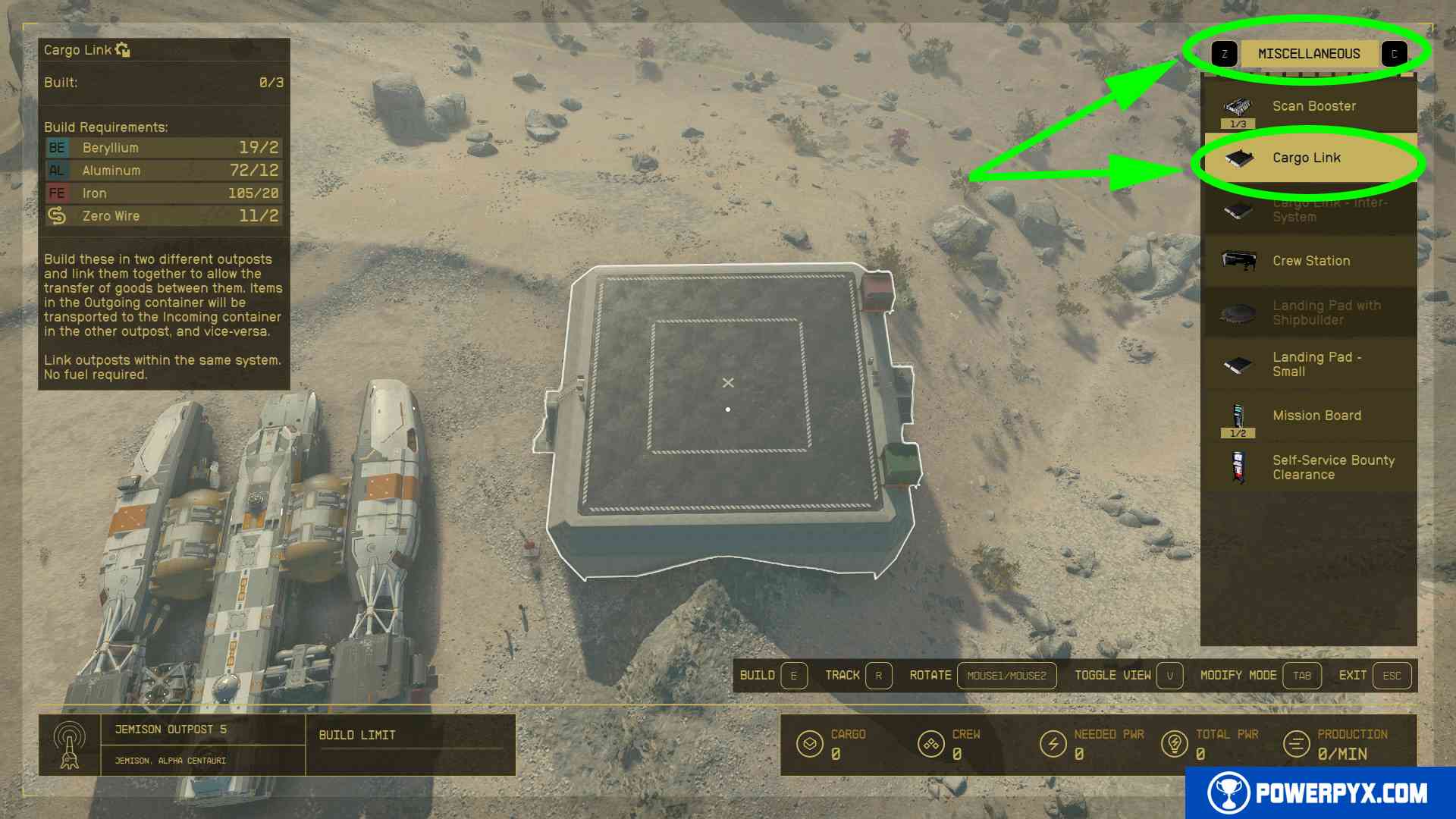
- Press Xbox: RB / PC: Z to switch to “Miscellaneous” category > pick “Cargo Link”. It costs 2 Beryllium + 12 Aluminium + 20 Iron + 2 Zero Wire. This is available from the beginning, it doesn’t require any skills or research projects. The materials can be bought form any merchant, for example the one at Jemison Mercantile (fly to Alpha Centaury > Jemison > New Atlantis landing pad > walk straight ahead to the train station and turn left to find this shop).
- Pick an empty spot and press Xbox: A / PC: E to build the Cargo Link. Do this in all Outposts, each must have one Cargo Link.

- Climb up the Cargo Link, there is a terminal on it. Interact with the terminal and click which Outpost to link it to. When done correctly it will show a green “link” icon.


- Link whichever Outposts it shows. Sometimes it can be a bit buggy and doesn’t show some Outposts. If this happens keep building more Outposts with Cargo Links and recheck which can be linked.

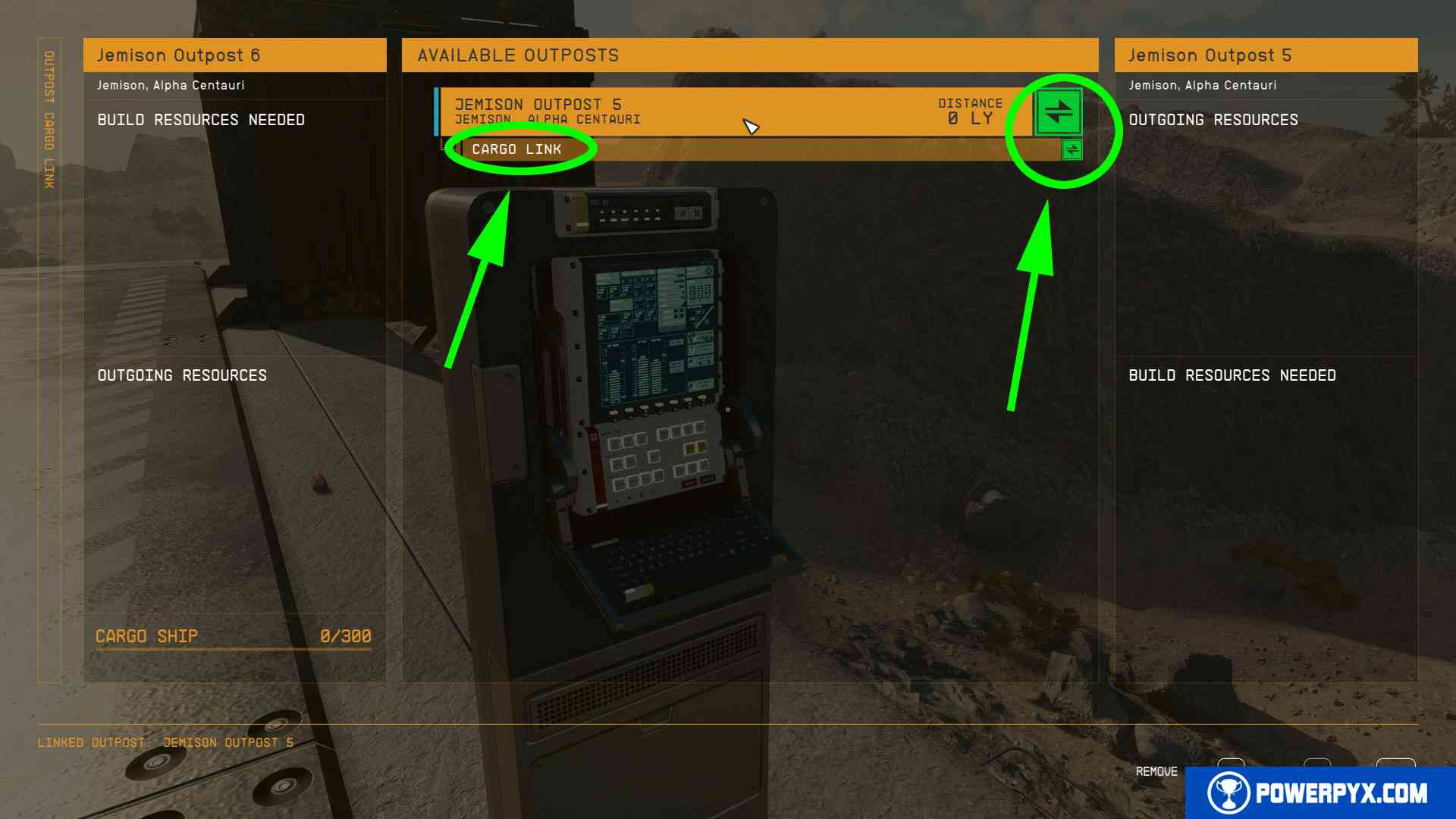
That’s all there is to linking your Outposts with the Cargo Link function. You can assign to the incoming/outgoing container which materials you want to trade and a spaceship will come to pick them up regularly.
Also see How to Remove Outposts.
For more Starfield guides check out Starfield Wiki & Strategy Guide.
Leave a Reply