
Specializations are an endgame feature in The Division 2. The Specializations add new bonus weapons to your inventory. They also give you other passive buffs and active skills.
How to Unlock Specializations in The Division 2:
- Reach Level 30 and finish the Story (conquer the Capitol Stronghold)
- Talk to the Quartermaster in the White House. A new desk becomes available at the Quartermaster where you can equip the Specializations.
- Pick between the Demolitionist (Grenade Launcher), Survivalist (Crossbow), Sharpshooter (Sniper)
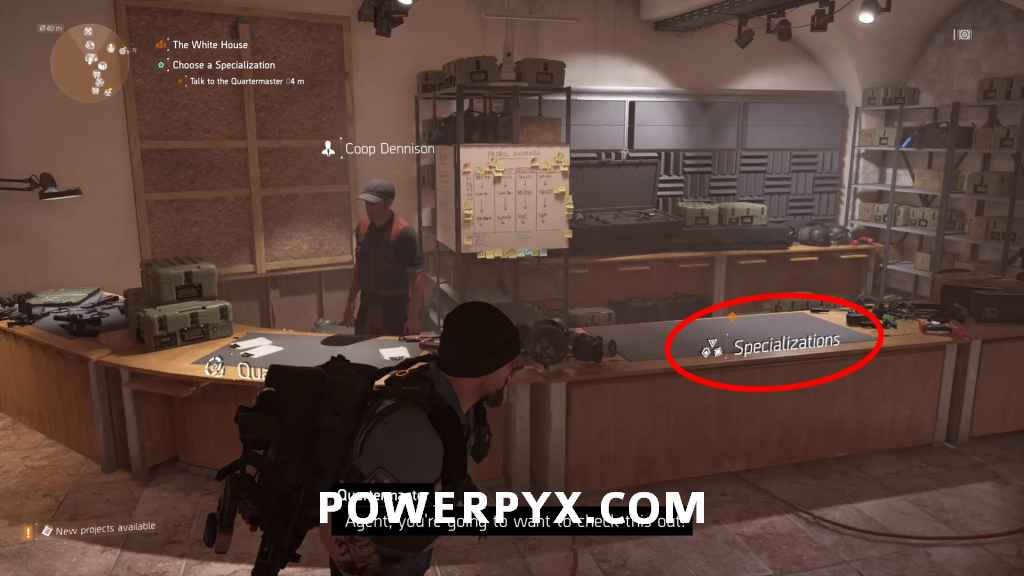

How to Use Specializations in The Division 2: Hold Triangle (PS4) / Y (Xbox One) to equip the Specialization weapon. Some of the specialization skills are passive. Only their respective weapon needs to be equipped.
There are 3 types of Specializations: Demolitionist (Grenade Launcher), Survivalist (Crossbow), Sharpshooter (Sniper). You can switch between them at any time at the Quartermaster. They are not permanent. So don’t worry, you can test it out and if you don’t like it change to a different class.
How to Get Ammo for Special Weapons:
- Grenade Launcher 40mm Grenade = Kill enemies with explosives (e.g. grenades)
- Crossbow Explosive Bolts = Kill enemies with weapons while they are under a status effect (e.g. while they are on fire or while they are electrified)
- TAC-50 C Sniper Rounds = Kill enemies with headshots
To upgrade your specials you must earn specialization points which you get from doing invaded endgame missions (marked red on map). It’s a long grind to fully upgrade everything.
That’s everything to know about specializations in The Division 2. Enjoy the endgame!
Artcyy says
So my friend completed all main missions and did all the strongholds and his specialization table is open and he can access it but he can’t pick any of them because there all locked… does anybody have a solutions for this
Orayner25 says
Same for me. Just end up stuck in the menu!
Don McCormack says
Popsdmac. Now I’m stuck in menu. How do I fix this
Dxdd says
Do you have gold edition/year one pass?
This would be the reason why if you only got the standard missions and you have to be level 30
Acinonyx says
Thanks I knew I my purchase had them included but did not now how to get use it I appreciate and thankful for you effort 🙂