
Elden Ring features a quick select item wheel. The game just doesn’t provide you with many tutorials and instead wants you to figure things out for yourself, hence this is easy to miss. This guide explains how to use the quick select item wheel and how to assign items to it.
The advantage of assigning a few items to the quick select pouch is that it keeps your D-Pad Down menu clean. For example, you can assign the Spectral Steed to the quick select pouch or put Ashen Remains there. This will keep your D-Pad Down menu nice and tidy for flasks, so you don’t spend time scrolling through 10 items each time you want to use a potion. Likewise, you can also assign a flask potion to the quick wheel instead.
How to Equip Items to Quick Select Item Wheel
Press the Options-Button (PlayStation) / Menu Button (Xbox) to open the Menu from where you select the Inventory. Scroll to the right where it says “Pouch” and then press the “Switch Button” shown at the bottom right of the screen. This lets you assign any usable item.

How to Use the Quick Select Item Wheel
To use the quick select items during battle or whenever you need, hold TRIANGLE (PlayStation) / Y (Xbox), follow by a D-Pad directional button (left, right, up, down – depending on what button you assigned the item to).
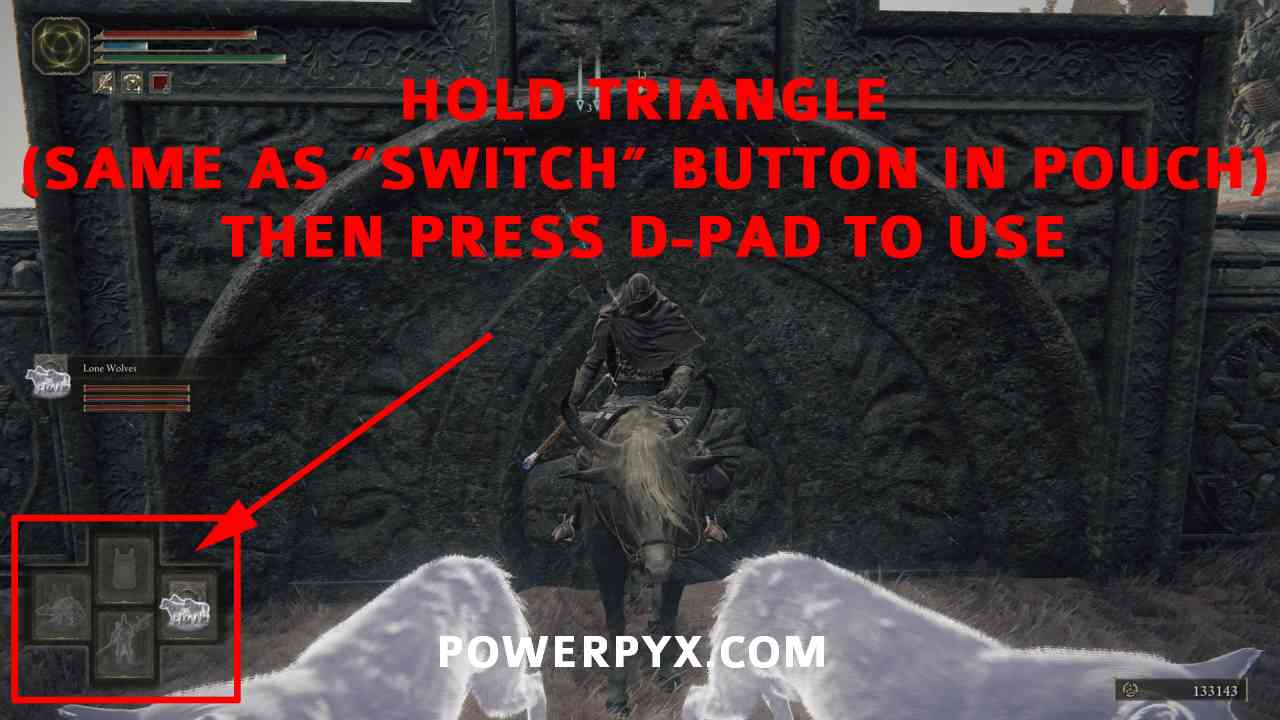
That’s all there is to know about the quick item pouch in Elden Ring. A nice yet hidden quality of life improvement to keep your flasks easy to use.
For more guides check out the full Elden Ring Wiki & Strategy Guide.
rah the brother says
THANK YOU! It was so annoying having to scroll through 10 items to heal in the middle of battle.
Ryan Kennedy says
But how do you assign stuff to your main d-pad menu?
PowerPyx says
That’s done in the bottom row of the “Equipment” screen. Then you press to cycle through the items and
  to use.
The quick wheel is faster though as it doesn’t require cycling through items.
InnerRise says
I’ve been trying to figure out how to use an item in that bottom slot for 2 days. The square button ?
overlanderjoe says
Ok, but there are six slots under “Pouch”
what are the extra two for?
Acp says
Ugh. I can’t find any guidance for PC controls. Everything is for Xbox controller.
Any help for PC on this issue would be great. 🙂
Blue Moon says
still looking for this myself.
I can’t be the only PC player that wants to use hotkeys for stuff
Roy says
Its explained in the pictures.