
In Crimson Desert, in Chapter 4 during Main Quest: Gate to the Otherworld, you get the objective to activate the lock device switch underground. The minimap arrow will point below you underground.
You must go to the north-east corner of the plaza where the objective started. Follow the path with the lanterns, it leads underground.
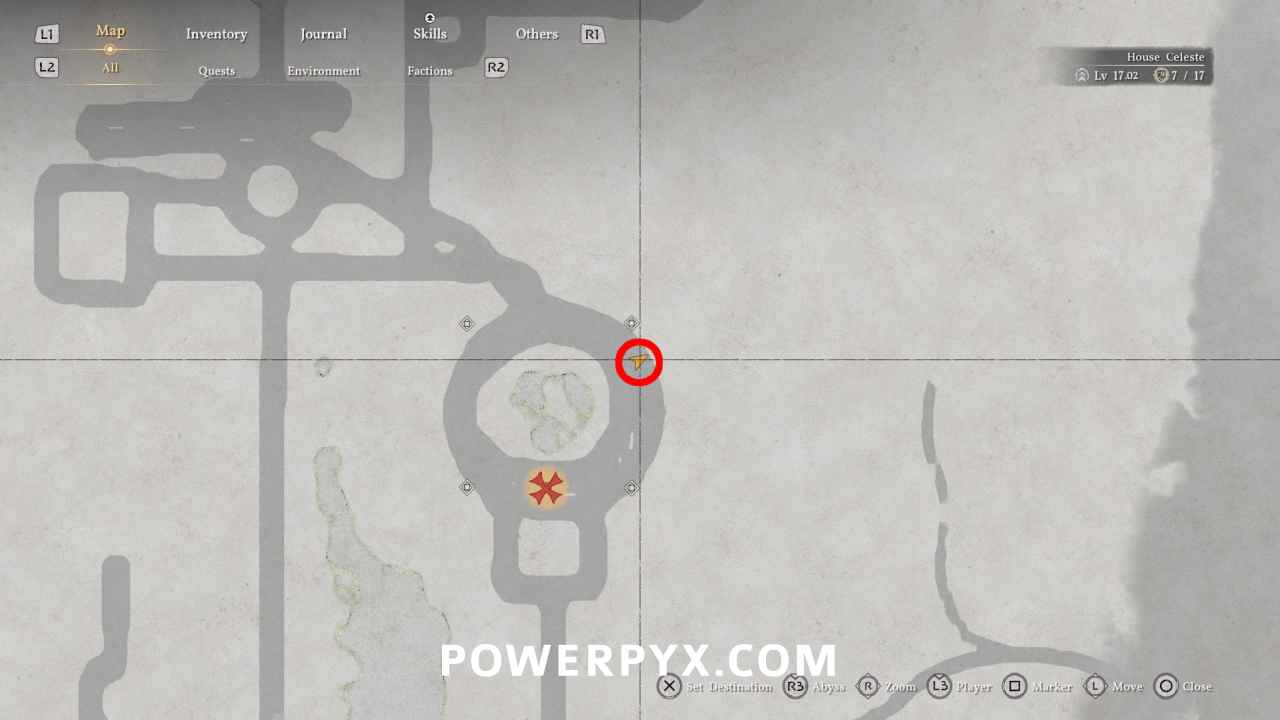
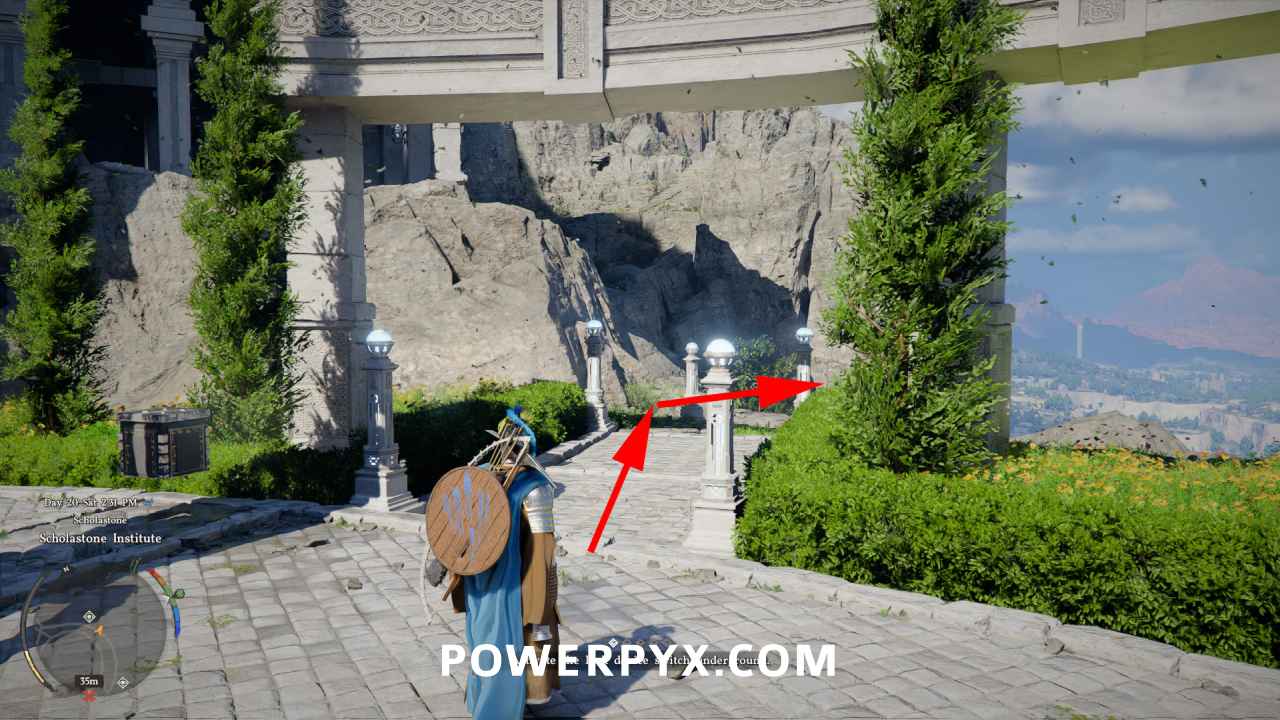
Then interact with the “hatch”, it looks like a wall panel.
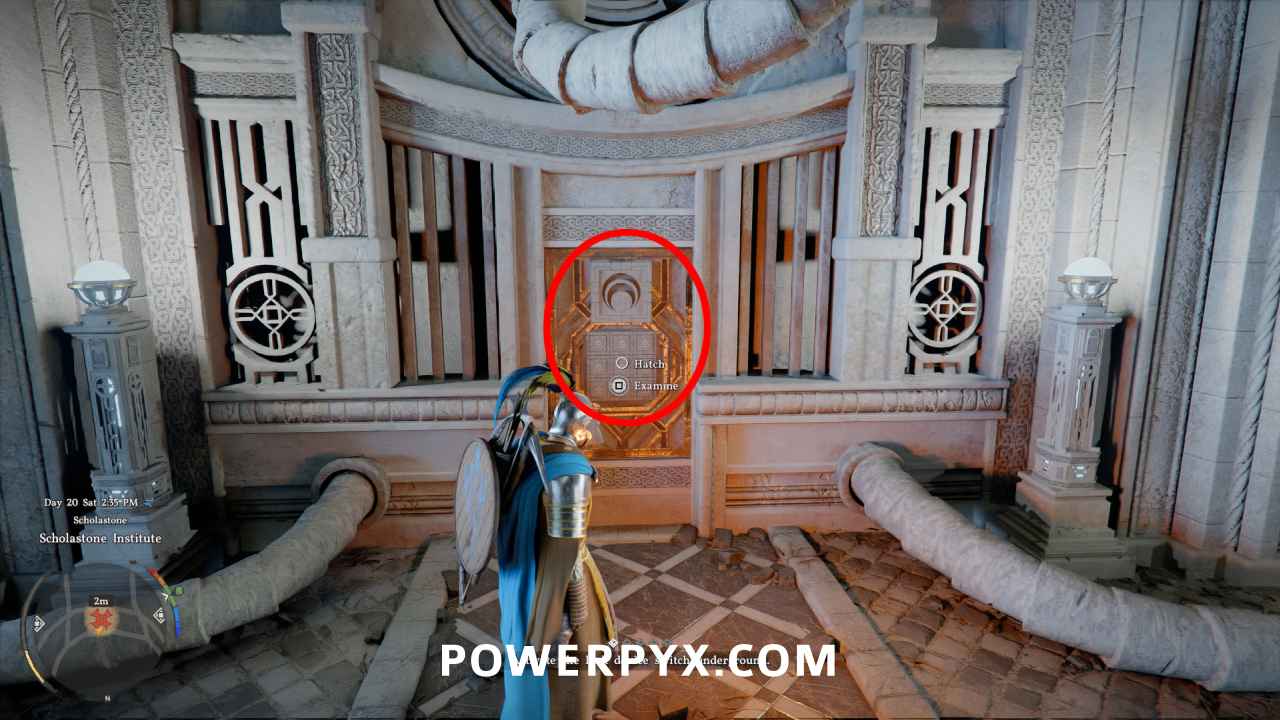
Here you must solve a puzzle by pushing the hatch buttons. You can press Dpad Left/Right to change which button to press. There are many solutions but an easy method is to press the 4 corner buttons, then press the middle button.
Lock Device Switch Puzzle Solution:
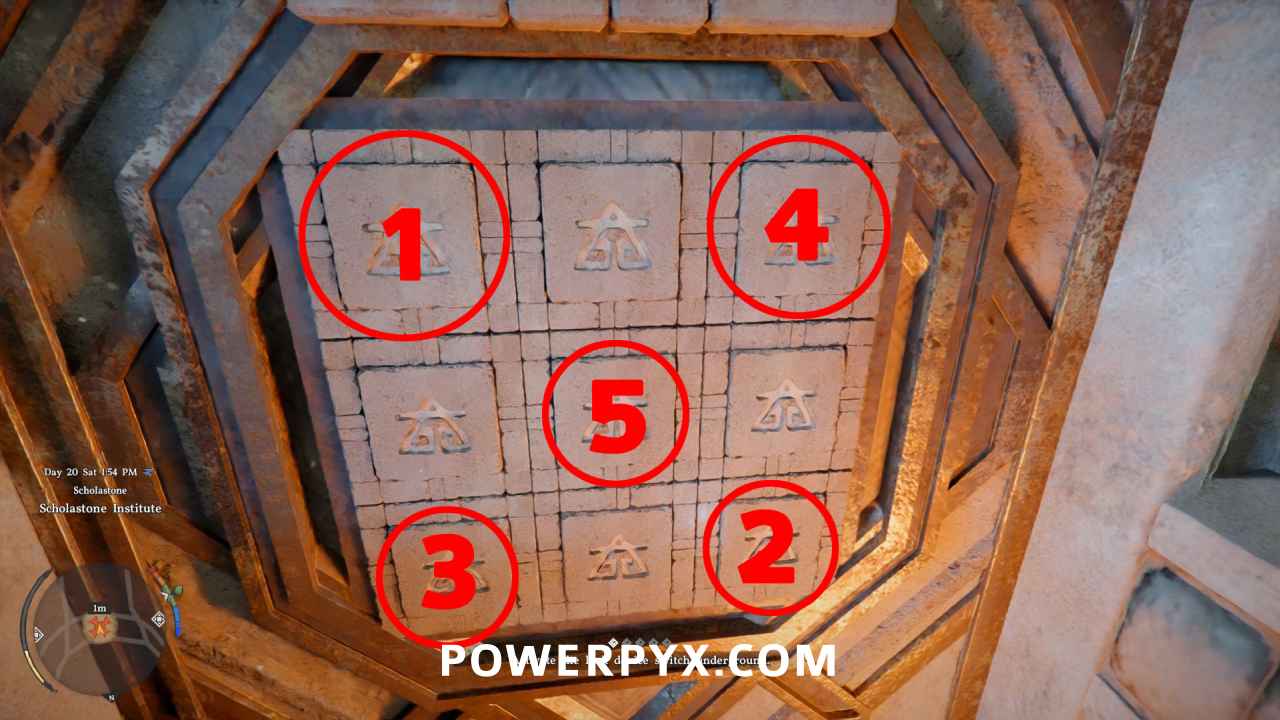
- Press top left corner button
- Press bottom right corner button
- Press bottom left corner button
- Press top right corner button
- Press middle button
If you’ve already interacted, you can back out to reset the puzzle and interact with it again.
When all buttons glow up, you’ve solved it correctly:
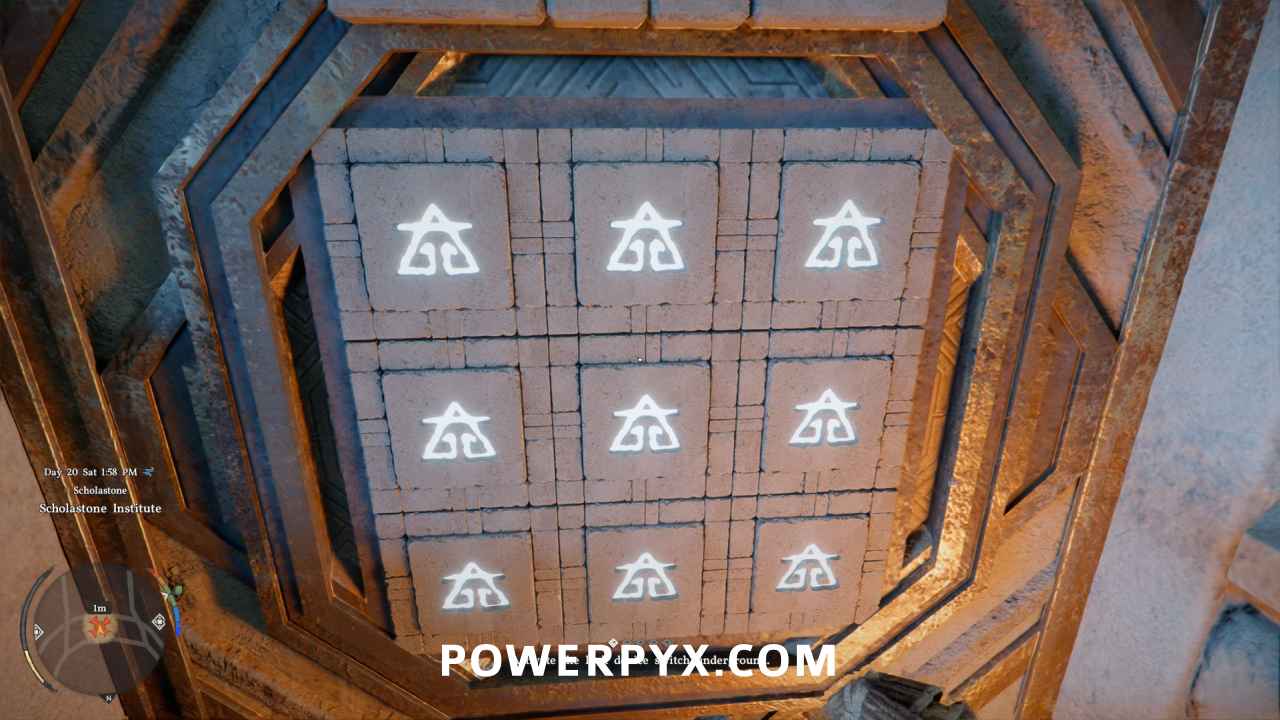
After solving the puzzle, interact with the same wall again to use the handle. You’ll get a cutscene where the machine boots up.
Next you will have to insert the batteries to activate the device.
For more guides check our Crimson Desert Walkthrough.
Leave a Reply