
The Visione Helmet is an item found in Chapter 1 of Crimson Desert, during Main Quest: Memory Fragment. It will frequently be used throughout the game to view Memories. The controls of this can be quite confusing at first.
Here’s how it works:
Whenever you must view a memory fragment, use the lantern (  /
/  ) to look around the area for blue ghosts. Look at the ghosts and let the “Learning in Progress” bar fill up.
Then you can use the Visione helmet in 3 days:
Method 1: When a viewable memory is nearby, you will see the icon on the right side changes to a mirror. Then hold the Options-Button for quick access to the icons on the right and click the bottom icon “View Fragment”.
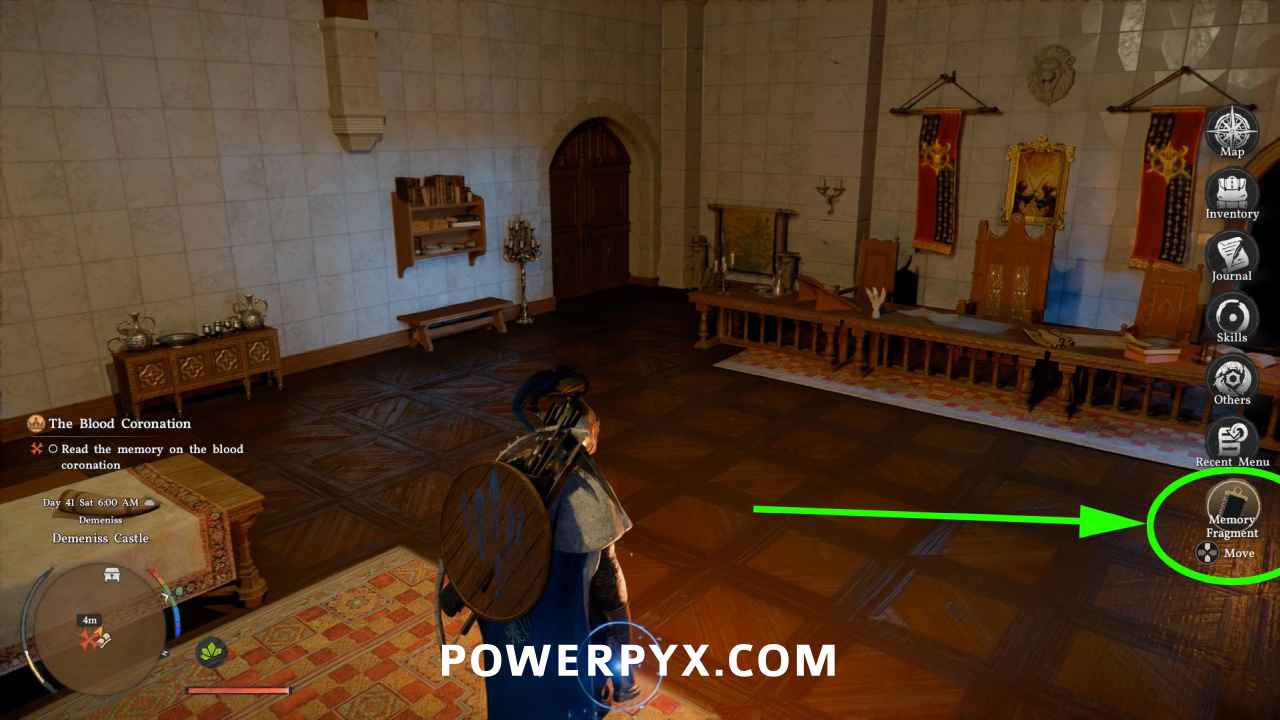
Method 2: Press Dpad  and press
  to select armor. Highlight the Visione helm and press
  /
/  > select ‘Play’ at the top to bring up the memories. Then manually choose from the list which memory you want to view and confirm with / .
Method 3: Use the Visione Helmet from the inventory with / > this brings up the list of viewable memories. Manually select which one you want to play. New memories will be marked.
For more guides check our Crimson Desert Wiki.
Leave a Reply